
Sustainacity Reflective Journal
19/03/2024
Started writing FMP proposal sections: Rationale and Project Concept. Written notes about the gameplay mechanics and research requirements
20/03/2024
Started writing FMP proposal sections: Evaluation and Project action plan and timetable
21/03/2024
Started the concept presentation
22/03/2024
Research on Target audience and statistics related to climate change
– – – – – – – – – – ASSETS – – – – – – – – –
28/03/2024 – 7/04/2024
Today, I’m going to focus on importing the assets I have chosen to use into Unreal Engine, then make blueprint classes for each tile. Finally, I need to make the meshes in each tile blueprint random (or procedural).
Making the blueprints random using the construction script will eliminate any patterns in the generated city and create a sense of life or chaos when viewing it. This approach makes it orders of magnitude easier to create a procedurally generated city in Unreal Engine.
I started importing the assets for the game, which were downloaded from CGTrader.com link to assets
Next, I created some Blueprint Classes inside the Unreal Editor to prepare for when I combine the assets together to make tiles which will be the used to generate the city procedurally at runtime.
Firstly, I imported the assets into Unreal Engine, making sure the geometry and textures were both loading correctly and organized in the Content Browser.
Next, I organized some instances of the assets in the game world to make sure they render correctly in instance form.
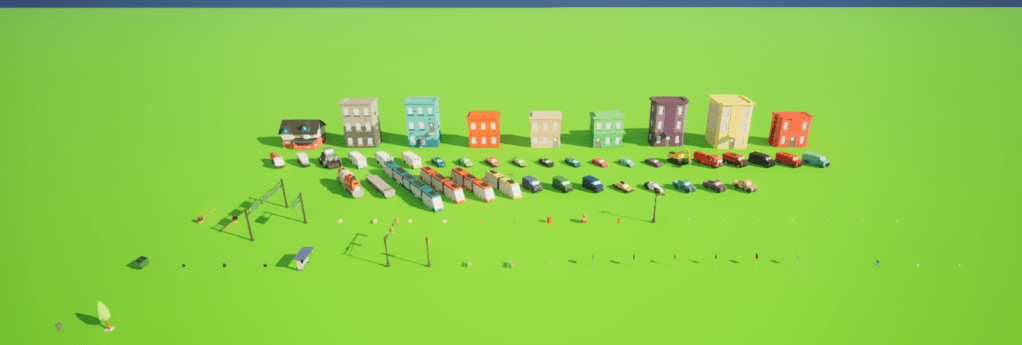
I organized them by category, such as Buildings; Vehicles / Transport; Props; etc…
Here are the buildings
In the game, these will ’house’ the residents of the city, the more maintained these are, the happier the residents will be. These assets will have extended functionality, such as adding solar panels, planting trees, installing electric car chargers, etc…
Here are the residential vehicles
Next, these are the vans and pickup trucks
These vehicles, much like the residential vehicles, will spawn on driveways and along the curbs of streets. However, these will most commonly spawn nearby local business or service tiles. This made sense because usually larger vehicles are required to transport goods from place to place.
You can’t have a city without services, especially the vehicles that operate for them, here are those vehicles
These vehicles will spawn most commonly near service tiles, such as fire stations, police stations, taxi stands, bus stations, etc…
Finally, the props.
These include road signs, foliage, trash bags and containers, boxes and papers, streetlamps and traffic lights, and bus stops.
Those are all the meshes, sorted by category, and tested in different lighting conditions.
– – – – – – – – – BLUEPRINTS – – – – – – – – –
8/04/2024
Next is using the meshes I made to create the tiles. My goal is to make each instance of a tile unique. I was thinking about using the construction script inside the blueprint class to procedurally generate variations of cars and trees to appear unique.
The first tile I made was the ‘BP_RoadCrosswalk’ blueprint.
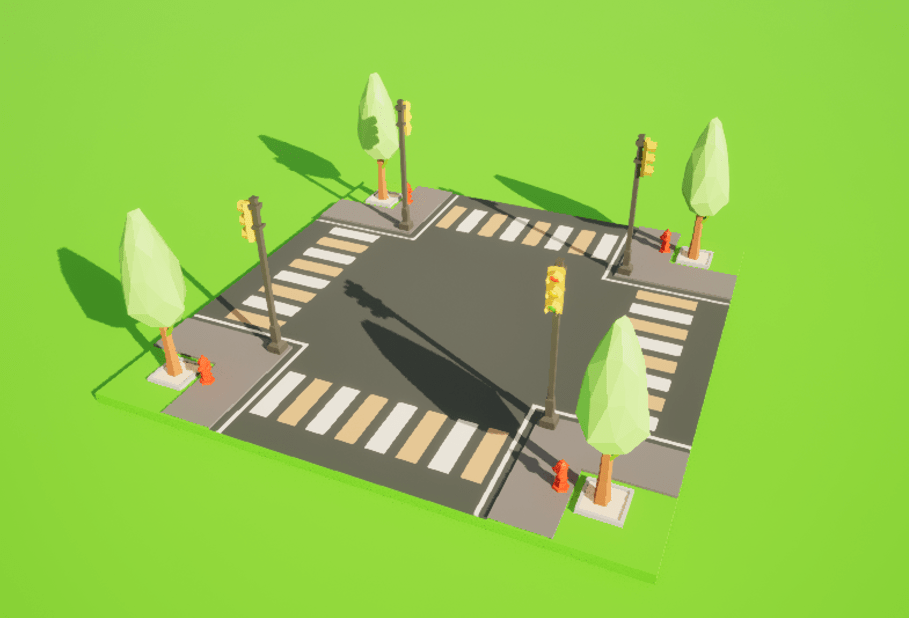
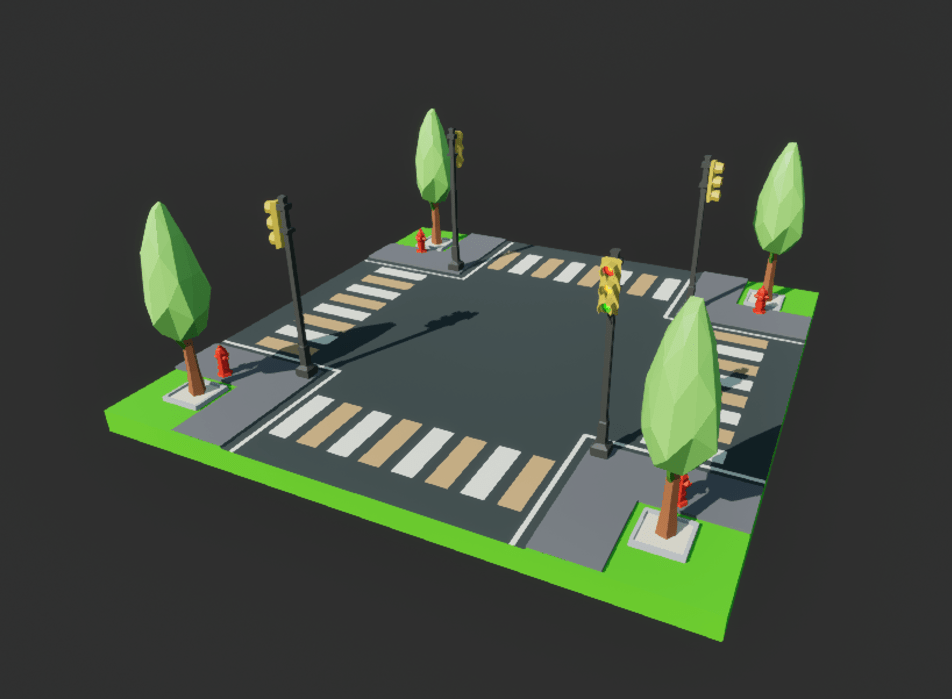
This tile is not procedurally unique because it is so simple.
Cars do not make sense being parked on the small sections of curb because in real life, this would be illegal as it blocks visibility of other drivers trying to maneuver the intersection.
The trees are always placed in the same spots, I made this decision because there is not much space for varying tree positions in each unique version.
This tile features traffic lights that glow during low-light hours:
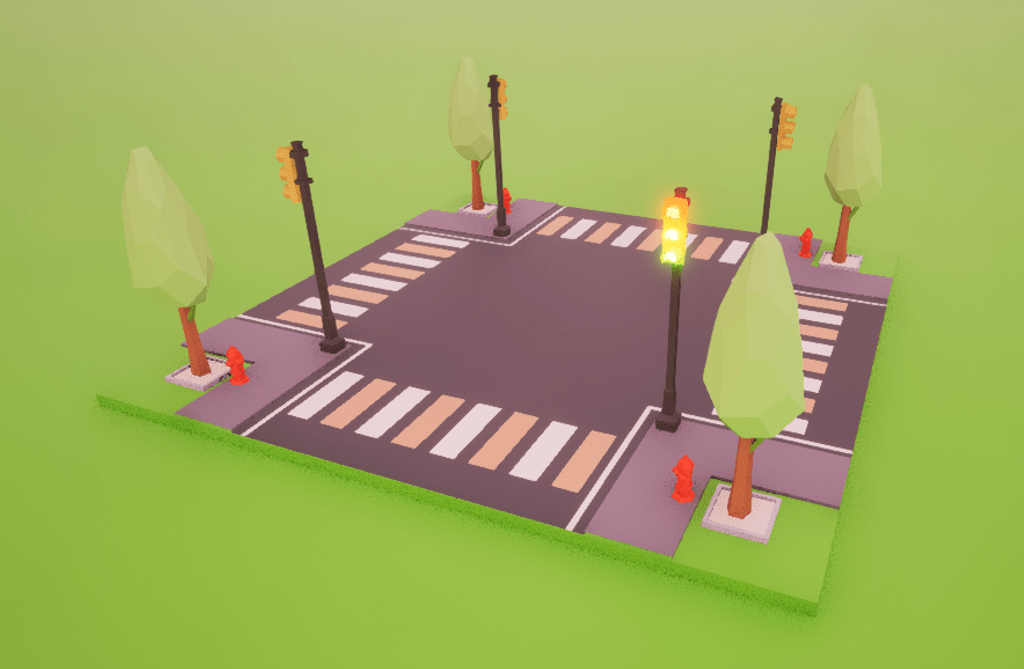
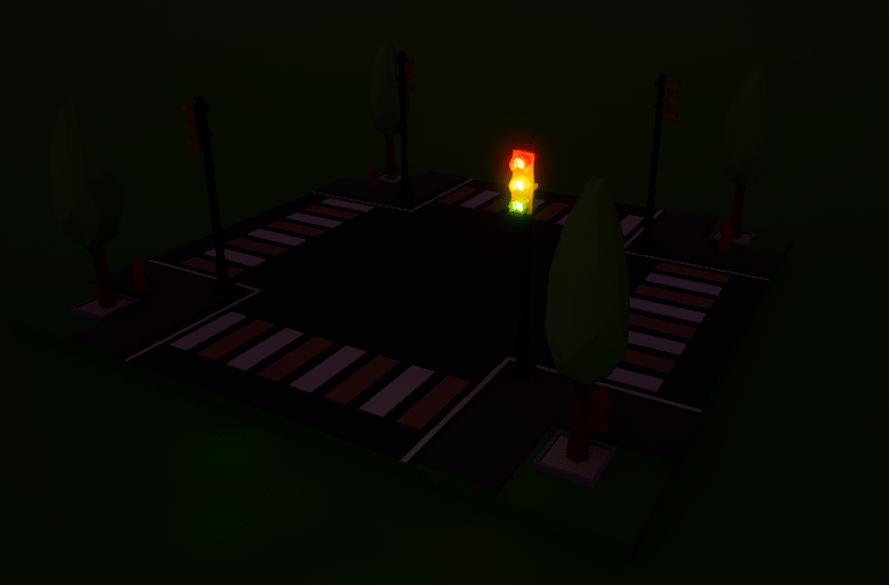
I made the lights glow in case I wanted to make a daylight cycle mechanic.
Perhaps in future revisions, I can make the traffic lights in the intersection cycle from red, orange and green individually to allow for more visual interest and realism.
If I were to factor this mechanic, I would need to keep in mind that the road sections that cross in the intersection will need opposite signals to allow for priority for the movement of traffic of one road section over the other. (But I’m getting ahead of myself)
Next, I made the tiles for the roads.
There are 2 different road tiles, one which connects to crosswalk intersections, and the other connecting to the first road tile type.
These tiles are procedurally unique, here is another version of the image above with another variation.
Notice how the outside road tiles have no cars parked on the approach to where the intersection would connect, I made this decision to imitate real life, where cars are not allowed to be parked near intersections.
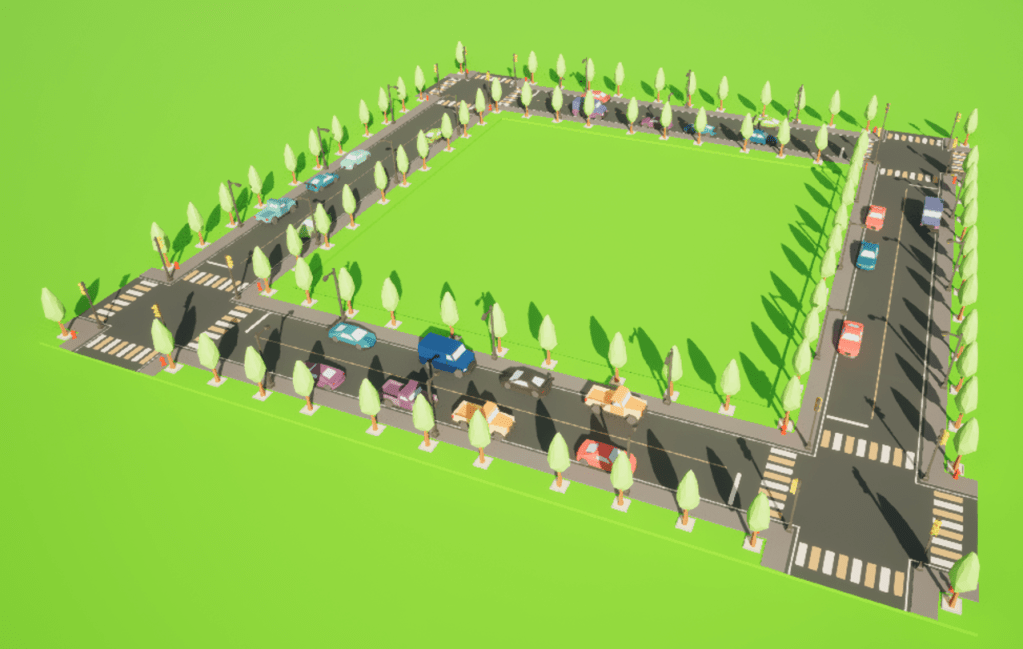
These road tiles connect well together. Each car is procedurally spawned alongside the curbs – not too close to intersections or other cars.
The car spawning is not too common as to seem unnatural, but not too sparse as to appear desolate or abandoned, this creates the lively and happy appearance I wanted.
9/04/2024
The next blueprint I wanted to make is the buildings, they play a major role in the gameplay, so I needed them working asap.
I started with the basic house tile; it will be the default choice for residents to live in.

This house will provide roughly 5 people with a place to live within the city. One vehicle will sometimes spawn on the driveway, which will give the appearance of inhabitants living there. Both the vehicle and surrounding trees spawn procedurally, so it is guaranteed that a random configuration of said elements will spawn every time.

The house tile features a recycling bin around the back that residents can use to recycle items, this promotes the sustainability aspect of the game.
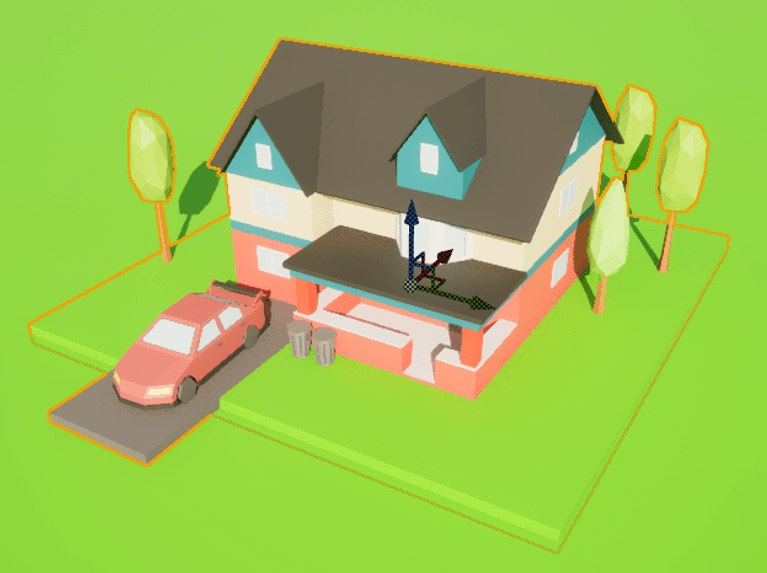
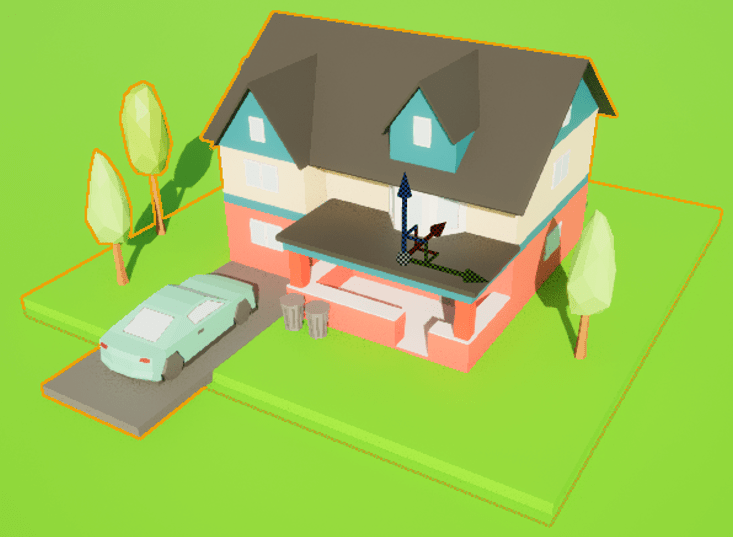
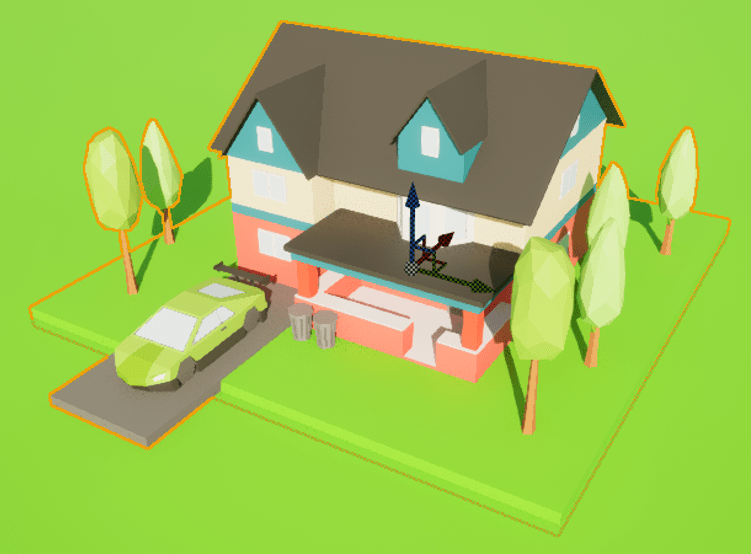
Above are 3 example generations of the house tile; note that there are a variety of vehicles – from sedans to supercars – parked on the driveways and different configurations of trees. Everything else is static, meaning it remains the same in-game.
Notice how the driveway sticks out of the tile bounds, this was a choice I made to ensure the driveway connects the neighboring road tile. This also allows more space for the car to make the tile feel less cramped.
Next, I wanted to make a commercial building. This will provide a place for local businesses to sell goods.
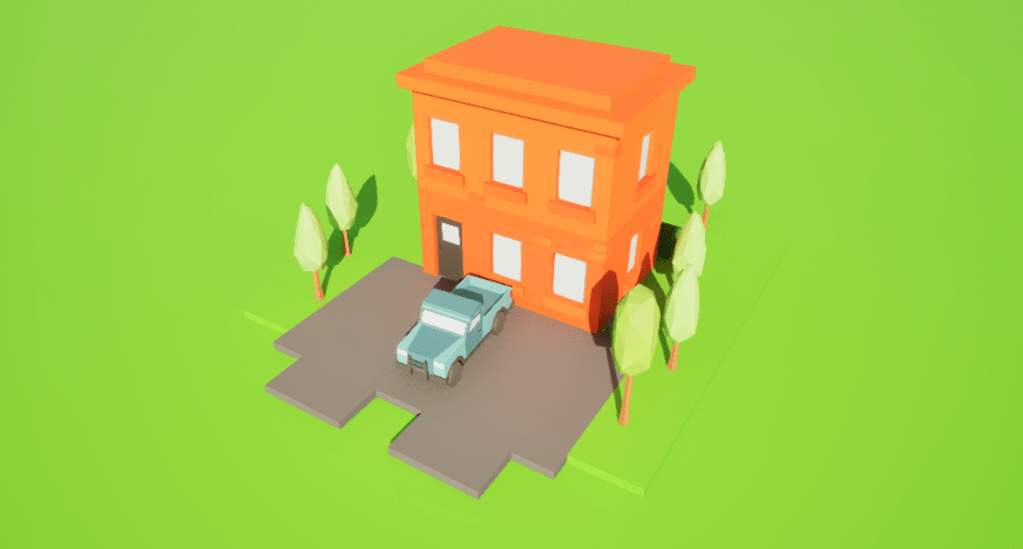
As the demand for this building type is greater than a residential building, this will require more space for cars to park.
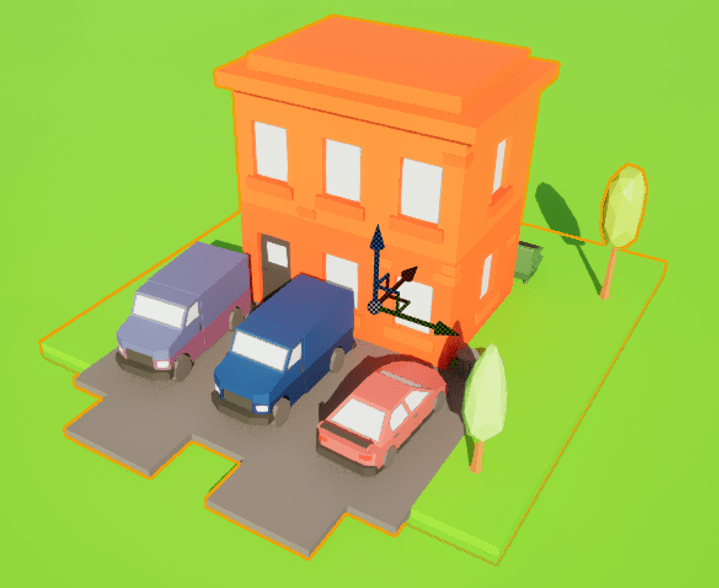


I have created 3 car spaces as seen in the 3 images above. Note how larger vehicles can spawn because it is classed as a commercial building.
Next, I wanted to add more variety to the possible residential tiles, I was inspired by real life cities and wanted to create verticality to the housing space.
I created three unique apartment building tiles to house more residents than the house tile
10/04/2024 – Wednesday – 12/04/2024 – Friday
Last but not least, I wanted to end off the building tiles with the most important – the service buildings. These buildings are crucial for any city that wishes to thrive. Service buildings are dedicated to providing some service for the protection and wellbeing of the residents and businesses of the city.

The image above shows a police station on the left, and a fire station on the right.
The police station features a variety of relevant vehicles to help fight crime, such as police cars and armored vehicles.
The fire station is like the police station; however, it also can spawn fire trucks alongside the other vehicles to aid in fire and rescue missions.
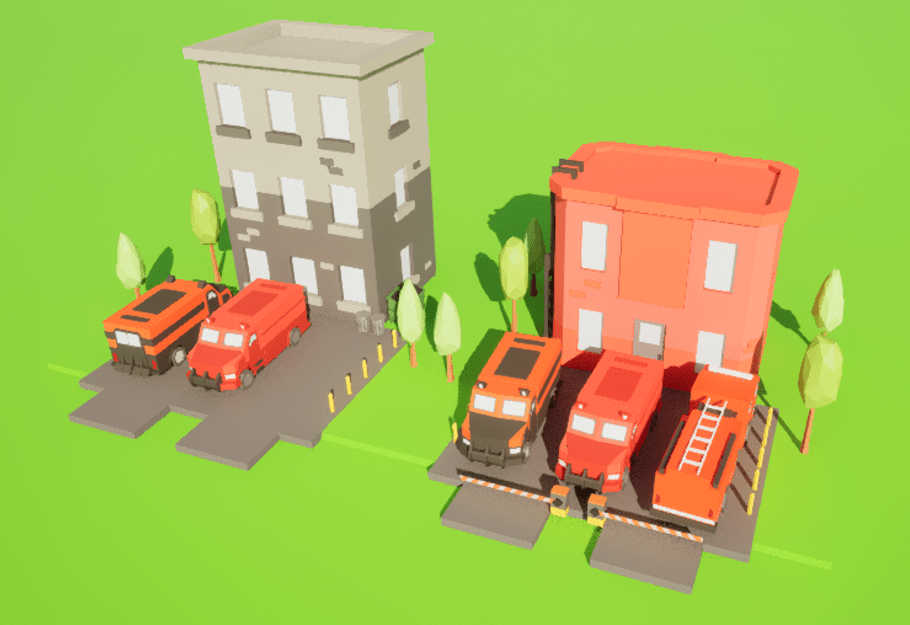

The images above show 2 possible configurations of the buildings, note how the police station
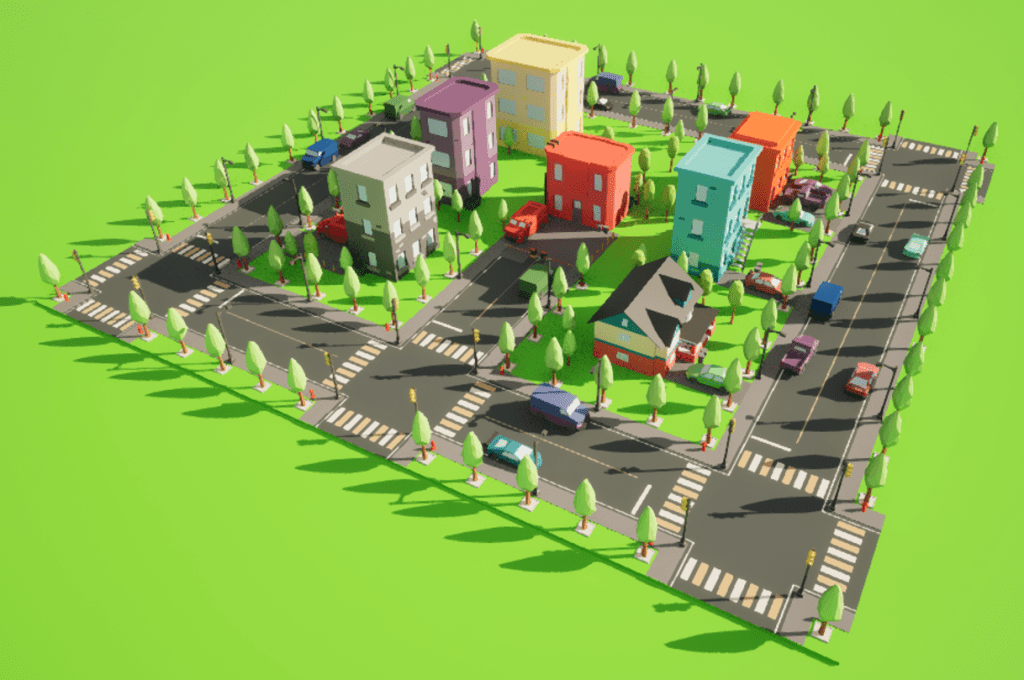
Here are some screenshots of an example city I made by hand. It was made in just a few minutes thanks to the procedural element of each building, all I had to do was drag some tiles from the Content Browser and drop them into the world.
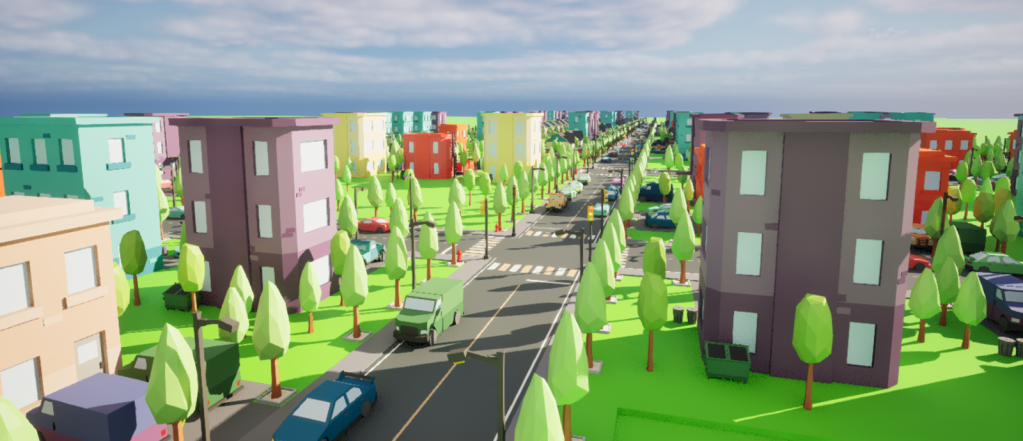
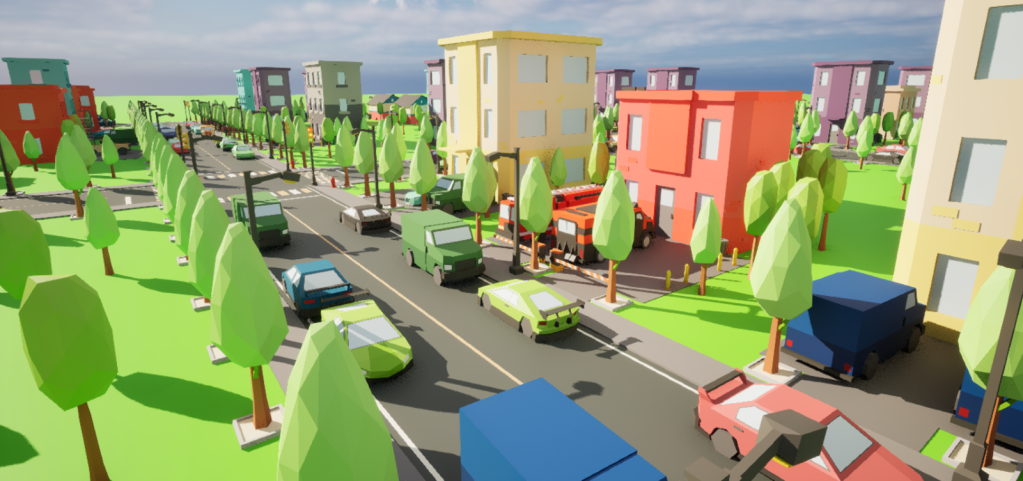
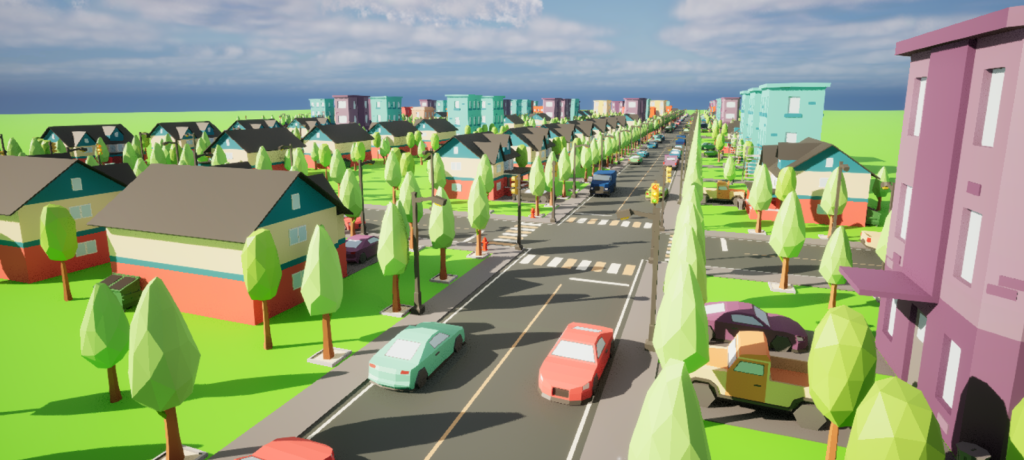
Since each tile has a fixed size (500 by 500 unreal units), I could set the snap size to 500 to make sure that placing a tile will snap to a grid where each tile in the grid could fit exactly one tile blueprint. This was clever planning and iteration to achieve such an easy system to manually build a procedural city.
However, manually placing each building is tedious and time consuming. Procedurally generating the city itself would make the entire process an order of magnitude easier and provide the player with a different experience every playthrough.
I have an interest in procedural systems in games, from difficulty adjustment to level design. It would be a testament to my skills in both programming and level design if I could procedurally generate an entire city at the click of a button.
– – – – – – – – – – CODE – – – – – – – – – –
10/04/2024 – Tuesday
To make procedural elements in games, you need an algorithm or set of instructions to produce something random using already existing assets.
I did some research on the different algorithms to do this, I found two; Cellular Automata and Wave Function Collapse.
Cellular Automata is …
Wave Function Collapse algorithm uses the same process you use when solving a sudoku puzzle.
In sudoku, you start with an initial 9 by 9 grid and some numbers preemptively filled in. The goal of the puzzle is to fill in each box with a number so that no number can appear more than once in each column, row or 3 by 3 section. If a 9 has been placed, you know that no other 9 can go in the same column row, or 3 by 3 section.
The process of solving a sudoku puzzle is what Wave Function Collapse is at its core, an initial condition, some information to fill in and rules for where that information can go.
This algorithm seems the best for my case, this is because …
18/04/2024 – Thursday
I have begun working on my Visual Studio project. After a few frustrating days of figuring out how to setup Unreal Engine with Visual Studio, it all seems to work!
I tested this by spawning in an example actor in the new GameModeBase C++ Class I created and tried to move it around using the built-in Perlin noise function. This was my way of expanding my knowledge about how UE and VS combine.
19/04/2024 – Friday – 20/04/2024 – Saturday
Today was very productive! With the help of my lecturer, Ben, we managed to find a solution to transferring my project folder from home to college and vice versa.
Then I created a main menu for my game featuring ‘play’, ‘options’ and ‘quit’ buttons.
Next, I added some background music that I generated using Udio.com link to website
Finally, to expand my knowledge with Unreal Engine’s C++ code syntax and features, I did some research online about derived classes and interfacing with C++ and Blueprint Classes through code.
To show my knowledge off, I wanted to get a head start with the procedural aspect to my game. I wrote some code inside the GameModeBase C++ Class to generate an n-by-n grid of <ABP_Tile> actors
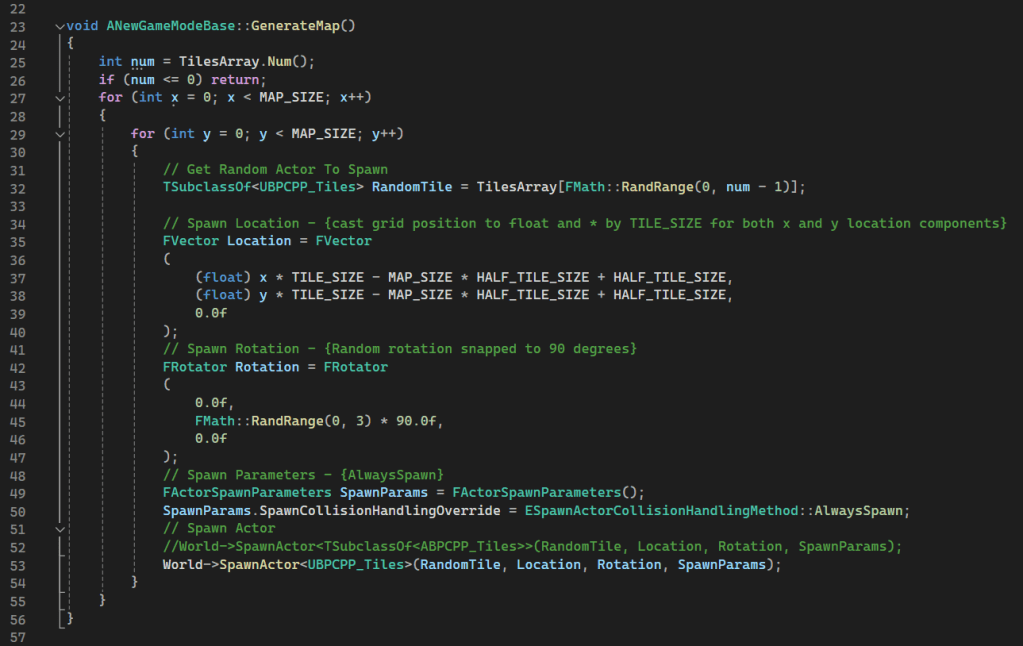
I managed to get it working at first try, although the results surprised me – It seems that the actors were incorrectly rotated which caused me some confusion, I was sure to double check that I had rotated them in the Z-axis, and that I did. I thought this could have been an up-vector issue at first, maybe the creation of the blueprint has the axis(plural) flipped, but then I remembered that dragging the actors from the Content Browser does not result in this behavior.
As I was confused by what caused this, I had to stick with the simple fix, which was to rotate the actor – not on the z-axis – but the y-axis instead. This didn’t make sense to me, so I had to hack it together, this works in the meantime.
26/04/2024
So, what I’m trying to do is create a grid of tiles in my Unreal Engine 5 project. Each tile is represented by an actor, and I want these tiles to be randomly chosen from a set of blueprint classes that derived from a C++ Class I’ve created.
To accomplish this, I’ve set up a custom gamemode in C++, where I’ve attempted to collect all the blueprint classes derived from a specific C++ class into an array called ABP_Tiles using a function called GetDerivedClasses(). Then, I iterate over the grid, and for each tile position, I randomly select one of these blueprint classes to spawn an actor at that position. I use TSubclassOf<ABPCPP_Tiles> RandomTile = ABP_Tiles[FMath::RandRange(0, num – 1)]; to get a random blueprint class in the ABP_Tiles array, then spawn it in the world using World->SpawnActor<ABPCPP_Tiles>(RandomTile, Location, Rotation, SpawnParams);The problem I’m having is attempting to get the derived classes of the C++ Class ABPCPP_Tiles.
I tried getting the UClass using ABPCPP_Tiles::StaticClass(), then Getting the derived classes using GetDerivedClasses(ABPCPP_Tiles::StaticClass(), DerivedTileBPClasses, false);but this results in an error saying that ABPCPP_Tiles has no member function ::StaticClass(), I thought maybe casting ABPCPP_Tiles to a UClass but you cannot cast a typename to a class. All I want to do is reference my blueprint classes in an array, for example: TArray<UBlueprintClass*> BlueprintTiles; GetDerivedClasses<UBlueprintClass*>(ABPCPP_Tiles, BlueprintTiles, false) or something like that. I’m just not familiar enough with Unreal’s functions to find the best approach for what I’m looking after.
30/04/2024
At this point of the project, I’m struggling to create the game I wanted in Unreal Engine. I have the skills and knowledge to make it; however, all the struggle just is not worth it for me. I have talked to my lecturers, and they have decided I make a simpler game.
07/05/2024
Today, I am going to plan a simpler game for my project. The first idea I have is a basic shooter-oriented simulator game which I have experience making in other game engines.
My idea is quite simple, the game loop consists of the player shooting vehicles to collect points, then spending the points on upgrades to make their character and weapons better. This is much easier to accomplish.
10/05/2024
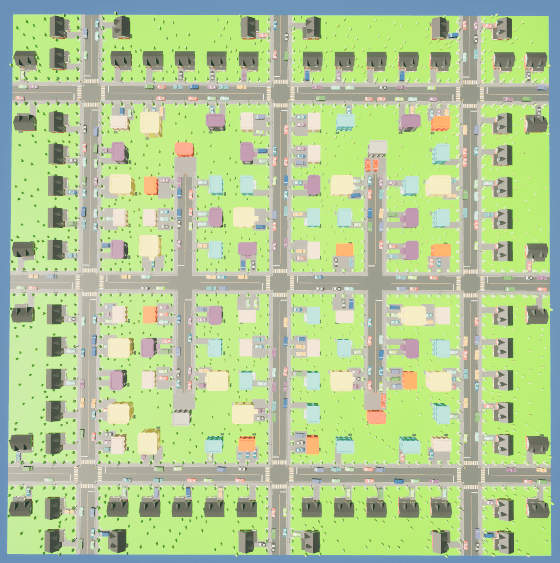
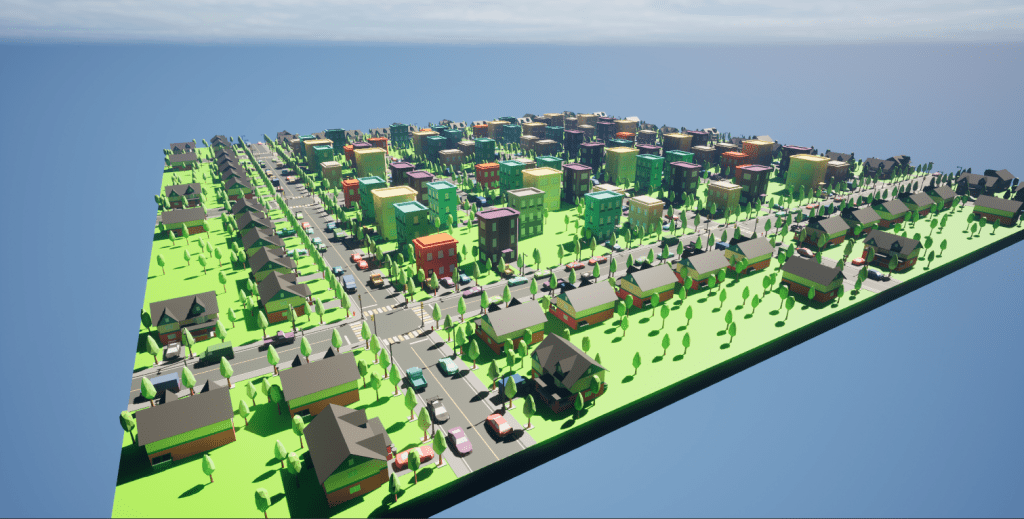
I have started working on the city that the player starts in, here is the layout of the level:
17/05/2024
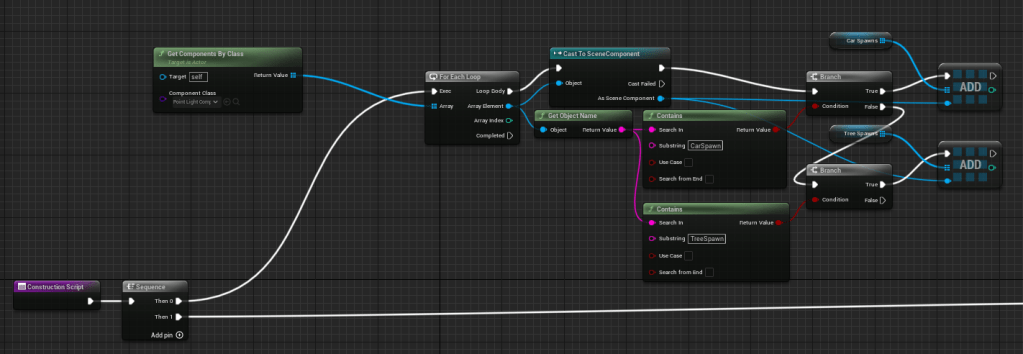
Today, I reworked all the tiles to collect all the CarSpawns and TreeSpawns within the actor and add them to arrays to be used when spawning the assets procedurally. I did this because I needed to change something in the procedural part, however it would be VERY time consuming to replicate it to the other tiles as it requires ALOT of modifications. Instead, I reworked how the CarSpawns and TreeSpawns are defined. Before, I would have to manually drag in the reference to each CarSpawn and TreeSpawn, but with the following blueprint, I can collect them into arrays without any manual input at all, essentially automating the entire process and allows for the same construction script to execute for all tile blueprints.
20/05/2024
Today I worked over the weekend on adding a new and exciting feature to my game, I didn’t want this game to be a conventional shooter game, so I started brainstorming some ideas.
I came up with a great idea; you play as a superhero who needs to destroy the meteors before they hit the city.
I remember having a superhero setup in one of my other games, so I migrated it to this project and swapped out the first-person character for the new one, then I looked through the blueprints to remember all the functionality it had.
Next, I added a meteor blueprint to be spawned when the game starts
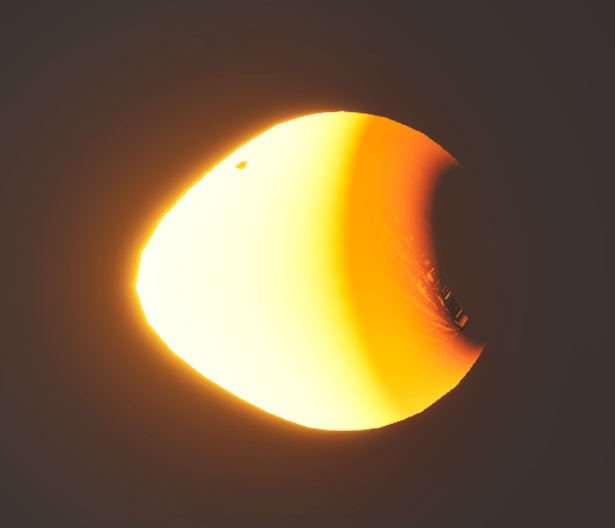
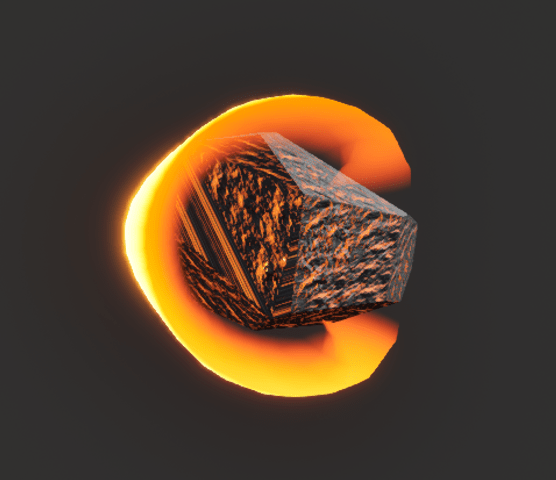
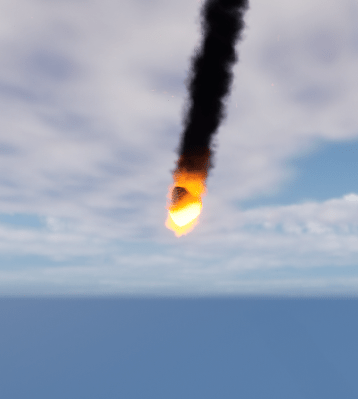
This will be what the player needs to destroy.
21/05/2024
Today, I worked on optimizing the blueprints for all the tiles. I thought that If I could use the same construction script for all the tiles, I wouldn’t need to overwrite the construction script for each tile but instead have a parent class that the tiles can inherit from.
I created a parent class for the tiles and copied the blueprint nodes into the construction script, then removed all the nodes from the individual tiles.
This optimized my code, made it easier to edit, and is more dynamic than before.
This also solved some problems when trying to call functions or get variables from the individual tiles. If I needed to, I would need to cast each tile individually, which is very bad practice. Having a parent class allows for only one cast and saves a lot of time.
This was a win-win-win for me and the project.
22/05/2024
Today I created a presentation for my game and watched others present theirs.
 Lewis' Games Development Portfolio